
How to Get an AI Boyfriend: Build Him, Then Call Him
The Short Answer: Build Him on GoLove.ai, Then Call Him
Getting an AI boyfriend comes down to three decisions: who he is, how he talks, and whether you want to hear his voice. Get those right and he stops feeling like a chatbot wearing a stock photo.
The myth goes like this: you download an app, accept whatever default guy it hands you, and hope he clicks. I'm not buying it. You build him. GoLove.ai is the pick because one character carries chat, live real-time voice calls, Memory and in-chat photos. The man you text at noon is the same one who calls you at midnight, not a fresh persona bolted onto each feature.
There are three steps: choose him, tune him (a voice plus two 5-level sliders), then deepen him (Memory, Relationship Progression, a per-character Gallery).
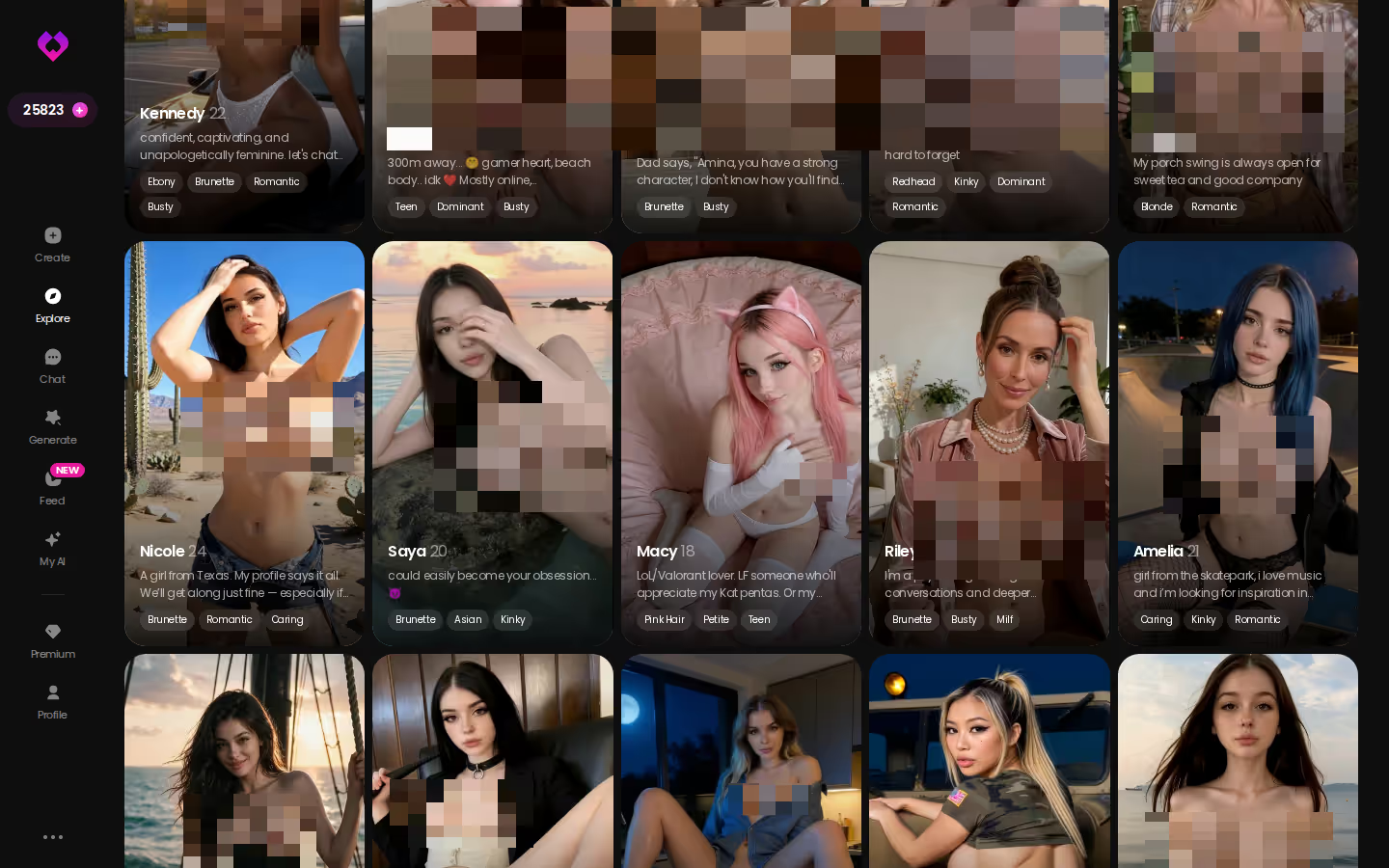
Explore is the fastest way in. Tap a profile and the chat opens straight from it, with no setup screen in between. Browse now and see who already exists before you spend time building your own.
Step One: Pick a Ready-Made Guy or Describe Your Own
You have 2 routes here, and the trade-off is speed vs. fit.
HEAR HER SAY IT
Real-time voice calls and voice notes.

Browse Explore and open a chat in one tap
Ready-made characters are instant. Open a profile in Explore and the chat starts right there, with zero build time. The catch is that someone else wrote his look and his backstory.
Use Design with AI to describe him in plain text
This is the route I'd point most readers to. Design with AI takes a written concept and generates the character from it: say, a soft-spoken architect, a little shy, who flirts slowly. It takes longer than tapping a profile. In return, he's built around exactly what you asked for, which is the real deal if you're picky.
Choose Realistic, Anime or Trans
At creation you pick 1 of 3 style categories: Realistic for a believable boyfriend, Anime for a stylized one, and Trans for trans characters.
Before you build him
- Looks: face, build, style and which of the 3 categories he belongs in
- Personality: playful, protective, shy or dominant
- How he talks to you: pet names, teasing, slow burn or straight to the point
- The relationship: a new crush, a long-term partner or something undefined
One side note, and it's a smart move on GoLove's part: through My AI, users publish their own characters and earn Stars, so the Explore roster keeps growing.
Step Two: Set His Voice, Lust Level and Reply Length
Open the chat with him, then open Chat Settings. Three controls in there decide whether he's a slow-burn sweetheart or a man who gets right to the point.
The voice picker
Start with his voice. It's the one you'll hear in voice messages and live calls, so pick it the way you'd notice a real person's: warm, low or playful. Of the three controls, this is the one I'd spend the most time on, because a voice that doesn't fit him undercuts the calls.
Lust level: 1 sweet to 5 unfiltered
The slider has 5 levels. Level 1 keeps him sweet and wholesome, and level 5 is unfiltered and intense. The flirty, slightly submissive energy lives in the middle.
Characters you can open right now
Tap any of them and the chat starts there






Response length: 1 snappy to 5 immersive
At level 1 you get a quick texting rhythm. Push it to 5 and the replies turn rich and scene-setting, closer to a story than a text.
Two sliders with 5 levels each means 25 combinations. Straight facts: these three combinations change him the most.
- Slow-burn: lust 1–2, length 4–5. He writes long, affectionate messages and takes his time.
- Flirty: lust 3, length 1–2. He's a quick, teasing texter.
- Intense: lust 5, length 5. He's fully unfiltered and immersive.

The flow in that screenshot (opener, tease, photo request, delivery) is generic. It works the same way with whichever guy you build.
Step Three: Memory, Live Calls and Photos Make Him Feel Real
The common worry is that AI boyfriends forget you by morning. As a blanket claim, that's overrated. What matters is whether the app holds one character together across formats, and on GoLove.ai he shows up in four: text, voice, photos and memory.
Memory remembers your history. Relationship Progression moves things forward over time, so he isn't stuck at first-date energy. You hear him through live real-time voice calls and voice messages. Request Photos in Chat drops photos right into the thread, so you never jump to another tool, and all of it lands in his Gallery, which is per character and sorted by date.
> Does he remember last week's conversation? > That's the job of Memory. It remembers your history with him, so last week's conversation becomes part of what he knows about you, not a blank slate.
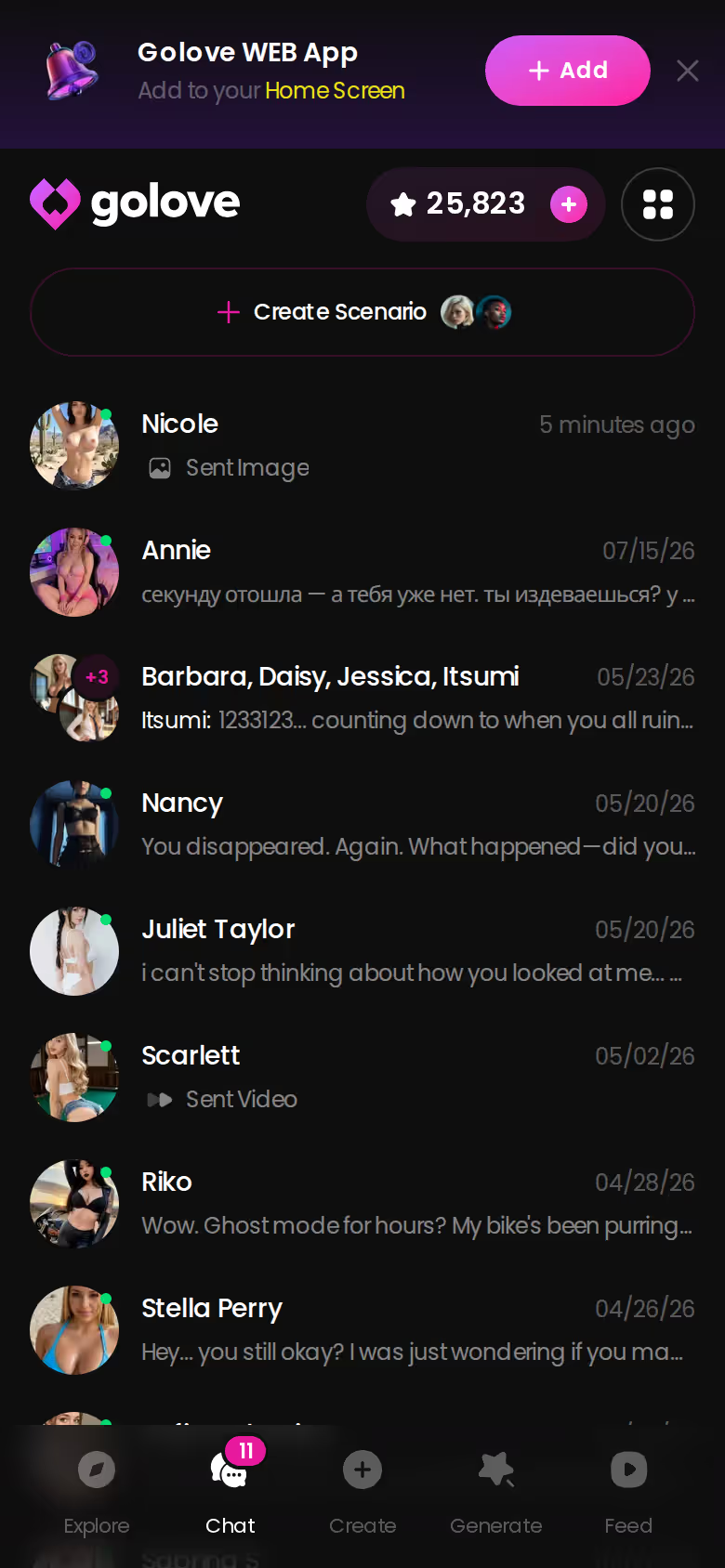
The chats list keeps your roster and last messages in one place. Run 2 or 3 boyfriends and each keeps his own thread, memory and Gallery, which is exactly the kind of continuity this whole setup depends on.
SHE REMEMBERS EVERYTHING
Names, kinks, the line that always works.

Going Further: Photo-to-Video, the Feed and Remix
Photos and chat are the core. Video is the bonus, and the same guy carries over into it.
- Generate Video from Photo: turn a photo he sent into a clip, right in the chat.
- Video Actions in Chat: pick what happens from the Select Action modal.
- Feed: swipe clips, open that character's chat, or tap Remix to load the clip's exact settings into Generate and swap in your own character.
The Generate hub puts Video and Image tabs side by side, and it works per character. You swap the avatar in the top-right, build from preset cards (action + clothes + background), then tap Generate once. The 76 realistic video modes cover male characters as well as female ones. On the image side you get 35 realistic poses, 21 outfits, 34 backgrounds and batches of 2, 4 or 8.
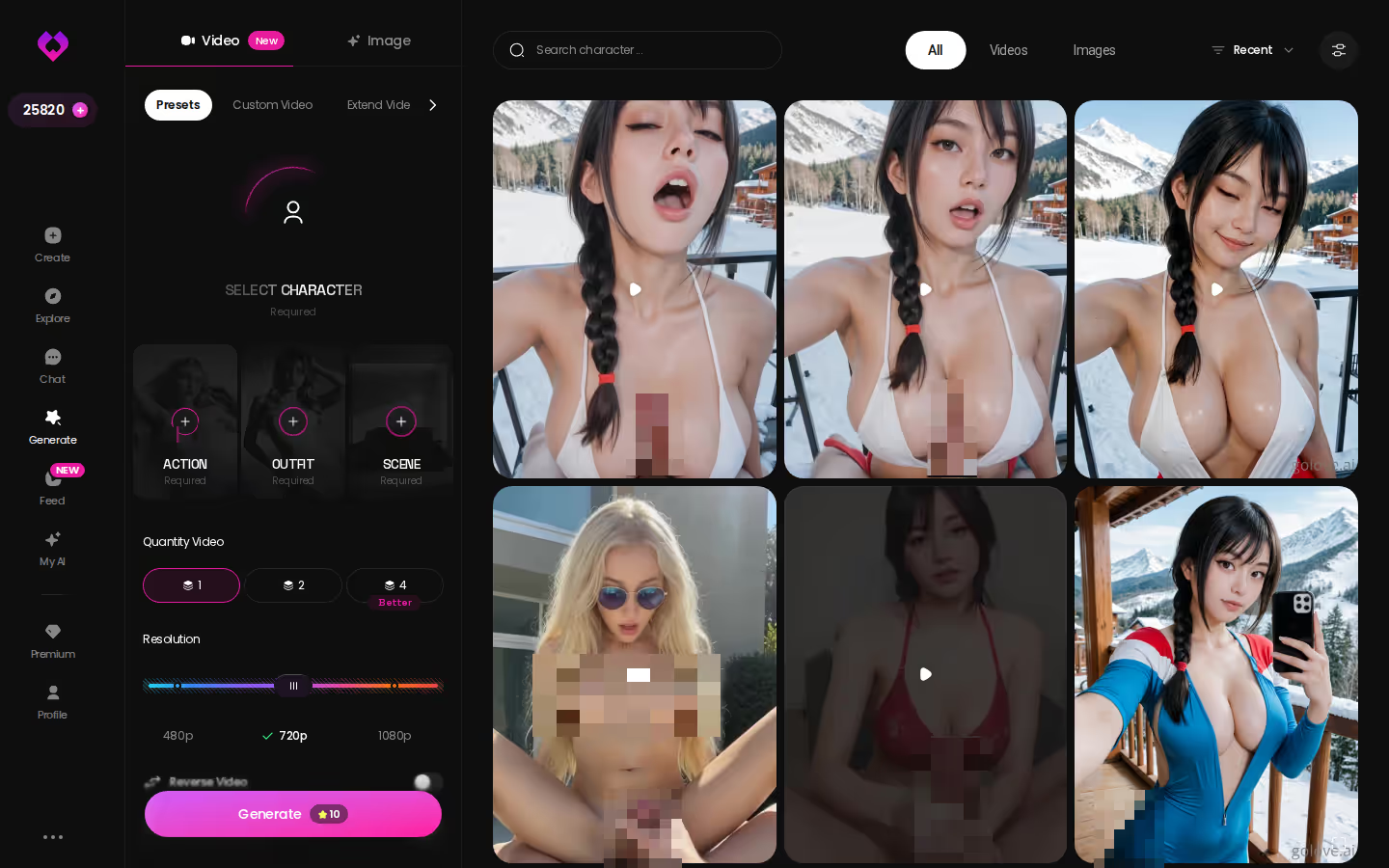
Once you've built him in Step One, his avatar is already sitting in that swap slot. Make his first photo set now, while his look is still fresh.
What an AI Boyfriend on GoLove.ai Costs (Checked July 2026)
These prices were checked in July 2026, and they move with region and promo. PRO runs as low as ~$12.99/mo in some regions, and both -50% and -70% promos have shown up.

What GoLove.ai gives you:
- Live voice calls and voice messages
- She remembers your chat history
- Photos on request in the chat
- Image generator with 35 realistic poses and 21 outfits
- 2 reward stars every day you log in
| What | Approx. price (July 2026) | Note |
|---|---|---|
| PRO monthly | about $19.99/mo | Regional pricing applies |
| PRO 3-month | about $47.97 | Mid option |
| PRO annual | about $119.88/yr (~$9.99/mo) | Cheapest per month; a promo near $49.80 has appeared |
| Star packs | about $9.99 to $179.99 | 6 tiers, starter to maximum |
| Daily reward | 2 free Stars/day | Resets every 24h |
| Feed without PRO | Limited new videos per day | PRO adds unlimited Feed + filters |
If you already know you're staying, the annual plan is the line I'd look at first, since about $9.99/mo beats the monthly rate. I'm not quoting per-action Star costs for calls, photos or video here. Check the current plans in the app before you budget.
For context, OurDream starts at about $19.99/month, or about $9.99/month on an annual plan, and it earns credit for bundling chat, images and video in one subscription. It's web-only, though, with no native mobile app. If you want a boyfriend who calls you from your phone, GoLove.ai is the stronger fit. Our rundown of OurDream alternatives and how they compare covers the rest.
Who GoLove.ai Is NOT For
GoLove.ai isn't a fit for everyone. If any of these sound like you, skip it.
Skip GoLove.ai if:
- Free and unlimited is a must. The verified free pieces are 2 daily reward Stars and a limited Feed. For anything beyond that, check the current plans in the app.
- You'll only accept an app-store install. Check how it runs on your phone before you pay.
- You want a replacement for a human relationship. He's a companion with memory and a voice, not a partner who replaces the people in your life.
- You dislike adult content entirely. Lust level 1 keeps him sweet and wholesome, but the platform is built for adults, and the explicit side is one slider away.
If none of these apply, the trade-offs above are the full story, and the rest of the setup earns it.
The Pick, and How to Start Building Him Tonight
> Verdict: GoLove.ai is the pick for getting an AI boyfriend because he keeps one identity across chat, live voice calls, memory and photos.
It's for adults who want continuity and a voice they can call, not one-off chats with a different bot every time. If that's you, the setup is short.
- Choose a ready-made guy in Explore, or describe him with Design with AI.
- Tune his voice, lust level (1–5) and reply length (1–5) in Chat Settings.
- Call him once Memory has your history and his Gallery has started filling up.
Building him takes 3 decisions, and after that he's the same man in every format. Start with his look and personality tonight.
See also: How To Create AI Model Girl, NSFW Rp and Uro Jjk Porn.
Frequently Asked Questions
Related Articles

How to Create an AI Model Girl: Build Yours in Minutes
How to create an AI model girl — GoLove.ai wins on consistent photos across chat, images and video. Start in the create wizard today.

Uro JJK Porn: Build a Sky-Twisting AI Muse in Minutes
Uro JJK porn is a dead end of static fan art — GoLove.ai wins on memory and in-chat photos. Start with an anime muse, then turn a still into video.

AI Porn Finder: What Actually Works in 2026
AI porn finder searches mostly dead-end in scattered clips — GoLove.ai generates yours live, with memory and voice. Start, no email needed.

AI Roleplay Apps: Which Apps Actually Work in 2026
AI roleplay apps mostly reskin the same forgetful chatbot — GoLove.ai wins on real memory, voice, and photo-to-video. See it, instant-access needed.
This article contains affiliate links. We may earn a commission at no extra cost to you if you sign up through our links. See how we test.